Tag: primavera p6 software

  • Fundamental differences between Microsoft Project and Oracle Primavera

    Fundamental differences between Microsoft Project and Oracle Primavera

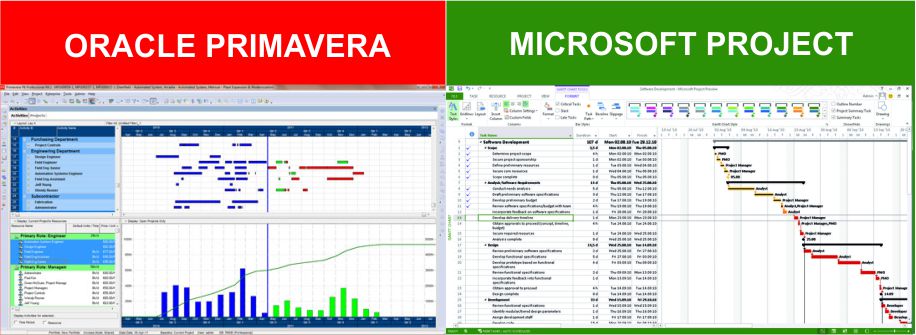
    This question asked quite often from many customers whether we should use MS Projects or Primavera? Which one is good for my project management needs? So let’s address this thoroughly today.

    Though both MS Projects and Primavera P6 are the two most popular choices in the market for construction projects, most contractors are not sure which one would suit them better. Project Management Information Systems are not only costly but also require too much data feeding to actually start producing some real results from them, so rather than wasting precious time and money, take out some time and watch this video till the end.

    The key difference between both Primavera and MS projects is that Primavera is a database-based software and MSP is a file-based software. So, how does this difference actually affect you and your organization? There is no one version of the truth when it comes to file-based software and it becomes very difficult to manage the transfer of information due to reliability concerns. Simply stated, you don’t know whether your planner has made some changes to the file after the file comes to you.

    With database software, all the data is stored on a single platform where all the updates are synchronized centrally and multiple users can access the platform at the same time. So Primavera comes with this exceptional ability to give you one version of the truth for the whole project team.

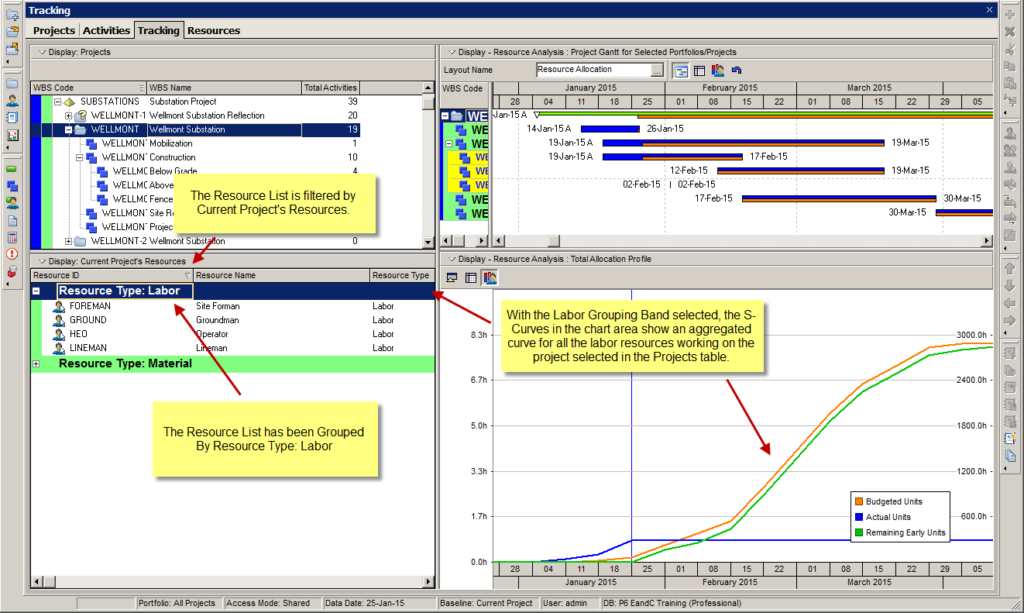
    The second most important difference is the User Interface. The user interface of Microsoft project is very similar to that of excel with some additional project management features like scheduling, baselines, and resource allocations, but because these are just features that were added as the product advanced you sometimes struggle to find all the things in one place. Also, there are no functions to sort and filter the data as per activity coding or work breakdown structures. While on the other hand Primavera was meant to be an enterprise-grade software on the Oracle SQL database since its inception so it has all the database management features required in a lengthy schedule and is able to manage the information very well due to its coding and WBS functions.
    S-Curves

    The third very important difference between both is the integration of Risk Management in a Schedule. As we all know: Man Plans and God Laughs, so it is very important to take into consideration the risks that are an inherent part of the Project Management business. MS Projects doesn’t take into account the risks associated with the activities while Primavera takes both qualitative and quantitative risks into consideration at the activity level. There are more than 15 other differences that make Primavera more reliable. So, what’s the verdict? See Primavera is costlier compared to MS Projects and is definitely suitable for large projects above 5 million involving multiple users and a large number of activities. Here most projects are part of a bigger project, and a lot of integrations and APIs are required.

    Conclusion :

    If this sounds like you then Primavera is the right choice for you but if you have smaller projects with fewer complexities, go with MSP. If you are stuck somewhere and need more information on any of the PMIS software, Click Here & we will help you in the best way we possibly can!
  • Oracle Primavera EPPM vs Primavera Professional

    Oracle Primavera EPPM vs Primavera Professional

    Oracle Primavera Profession (PPM)

    Primavera P6 Professional Project Management (PPM) is the Primavera Windows-based project planning tool that is popular around the world for managing construction projects. Primavera P6 Professional is a tool to build, schedule and track complex project schedules. Architecturally, it consists of a the Project Management client that installs on a Windows PC and connects to either a server-based or a local database. Microsoft SQL or Oracle databases are supported, as is SQLite.

    Primavera P6 Professional (PPM) is programmed with the Critical Path Method algorithm. At the most basic level it assigns dates to tasks based on sequencing and task duration. The output is a project schedule with dates applied and a Critical Path clearly identified, not to mention the calculation of a project end date. Top that CPM Scheduling engine up with Resource & Cost Management features, Gantt Chart, graphs, spreadsheets, analytic tools and reporting, and Primavera P6 Professional becomes the tool of choice for engineering, heavy construction, oil & gas and related industries.

    Oracle Primavera Enterprise Portfolio Project Management (EPPM)

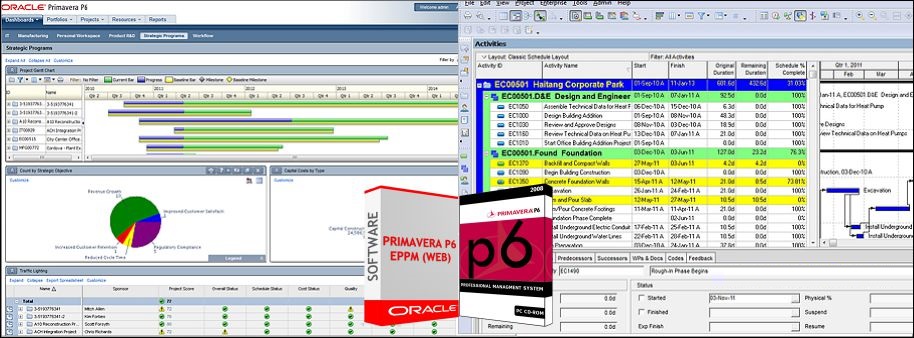
    Primavera P6 Enterprise Project Portfolio Management is a very advanced and sophisticated enterprise portfolio and project management tool. Primavera P6 EPPM is 100% web-based, so it runs in a browser and connects to a webserver that serves-up a visually-rich interface. P6 EPPM also connects to a main database where all of your project information is stored. The advantages of a web-based project management tool are many. It’s easy to onboard users – just provide a login, no installation on your local PC necessary.

    Primavera P6 EPPM brings a whole new set of features and functionality that sets it apart from mainstay Primavera P6 Professional.  For example, the web side of EPPM is very rich in graphs, charts, pivot tables and dashboards. It’s a new way of seeing P6 project data in a rich graphical sense. Many graphs and charts have drill-down capability so you can dive deep into your data.

    Primavera P6 EPPM has a big focus on Portfolio Management, which allows you to manage groups of projects together in a portfolio, and to manage that data, be it cost, schedule or resource focused.

    The major differences are as follows:

    Architecture:

    P6 PPM follows a two tier architecture, the client (windows based) is connected directly with a database. The database can be in the same PC as the application or be centrally hosted in a server. The data can only be accessed from PCs installed with the client tool.

    P6 EPPM follows a three tier architecture. The database and application servers are installed separately and the data can be accessed using Web browsers or client application. P6 EPPM has the advantage of accessing data from anywhere anytime and also backups and data protection capabilities are much more systematic.

    Dashboards:

    P6 EPPM comes with its own dashboards and personalized pages where is it is easier for the user to access the relevant data. Also the dashboard gives a much more analytical and strategical advantage over the PPM.

    Portfolio Management:

    P6 EPPM comes with its own portfolio management which the PPM is not capable of. EPPM tool is designed for Schedulers, Planners, Project Managers as well as Senior Management. PPM whereas doesn’t give much benefit to senior management or portfolio managers.

    BI & Analytics:

    P6 EPPM can be integrated out of the box with Oracle BI which gives it access to numerous analytical dashboards and reports.

    Integrations & Scalability:

    P6 EPPM comes with Web services and connectivity with Primavera Gateway. These tools allows the P6 to be integrated with legacy tools, Project control tools as well as major ERP tools. This makes the tool scalable and easily sustainable for a comprehensive automation solution for any industry.

    Progress Reporter & Mobile Applications:

    P6 EPPM comes with Team member and mobile applications in both android and iOS platforms. This makes site users to easily update daily logs and updates in the system and the project managers see the data real time.

    Summary:

    While both Primavera P6 Professional and Primavera P6 EPPM are capable of supporting an enterprise-wide deployment for the purposes of collaboration and project portfolio management, P6 Professional tends to be favored by planners because of its stability, responsiveness and ability to support standalone use.

    On the other hand, P6 EPPM is generally favored for deployments where a wide range of project stakeholders are interested in accessing project portfolio data due to its unique Dashboard and Portfolio data tabs that present summary project data and interactive capabilities for a matrix organization. Also, P6 EPPM gives a lot more features with just a fraction of extra cost. Because this system is Web-based, it is also favored by IT departments for its easier distribution to geographically remote locations including international access. If the user has internet access, they can interact with Primavera P6 EPPM.

    FeaturesP6 EPPMP6 PPM
    Project Planning
    Project Scheduling
    Resource Management
    Cost Management
    Earned Value Management
    Portfolio Management 
    Dashboards 
    Collaboration✓ 
    Supports Publication Services 
    Supports Web Services 
    Supports Mobile Application 
    Supports Primavera Gateway 
    Supports Integration API 
    Supports BI Reporting 
    Supports Analytics Reporting 
    Supports Integration with other Applications ✓ 
    Supports Timesheet/Progress Reporter