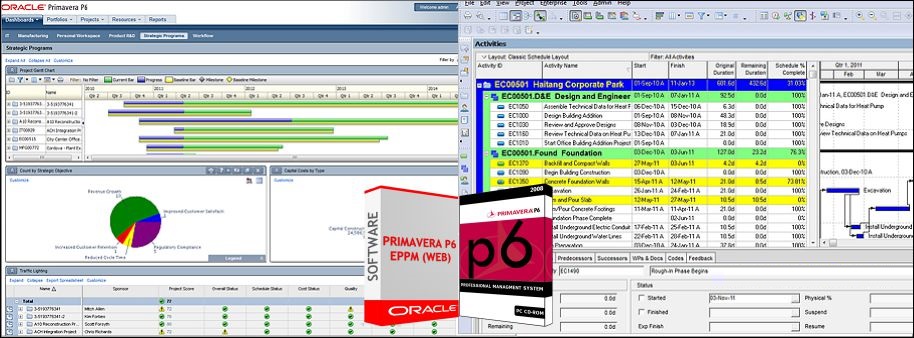
Since the original Primavera P6 was acquired by Oracle in 2008, the product set has grown significantly and now includes multiple applications. This has come about mainly through acquisition, but also includes some newly developed software. Out of all the cloud solutions provided by Oracle, Oracle Primavera Cloud (aka Prime) and Oracle P6 EPPM Cloud(SAAS) stands out the most in the industry. Oracle P6 EPPM and its schedule management has been around the construction industry for the last 30 years and is a proven method to manage your schedules, portfolios, resources, risks and issues. Oracle Prime is fairly a modern cloud solution mostly banking on the lean project management technology with loads if new project controls features loaded in one. The following gives a basic comparison of both.
Primavera P6 EPPM and P6 Professional
P6 EPPM is the flagship product for globally prioritizing, planning, managing and executing projects, programs and portfolios. P6 EPPM comprises two flavours: P6 Web Access and P6 Professional. These applications can be deployed on-premise, on the Oracle cloud or on other non-Oracle hosted platforms.
P6 Professional is designed to handle large scale, overly complex projects allowing you to organize up to 100,000 activities with unlimited resources. P6 Professional can also be deployed as a stand-alone application (known as PPM)
Team Member is an additional component which uses mobile interfaces such as phones or tablets to provide a quick, convenient, and easy way to update project status.
Key features of P6 include:
- Flexible user interface
- Streamlined enterprise reporting
- Team member interfaces for gathering status updates
- Integrated risk management
- Resource management and optimization views
Primavera Cloud
Primavera Cloud (previously known as Prime) is the jack-of-all-trades in the Oracle Primavera arsenal. A comprehensive, cloud-based solution, it comprises tools that allow executives, project members and field users to deliver projects and portfolios effectively, efficiently and with confidence. The huge range of functions spans:
- Project and portfolio scheduling
- Resource management
- Project costing
- Project and portfolio selection and management
- Risk management and analysis
- Contract and change management (including budget management and funding management)
- Project collaboration (including functionalities like inspections)
- Primavera Cloud also provides a native, purpose-built mobile application that allows users to access portfolio, project, documents, scope and activity related information in both online and offline mode.
Key features include:
- Context-driven rich and lightweight user interface
- Global search and navigation to major functional areas
- Built-in workflows with an option to expand via configuration.
- Web-based interface with no client installation or plug-ins
- Review and approval of updates to ensure project integrity.
- Embedded analytics
- iPad and iPhone applications that support on- or offline project status updates
- Ability to access, mark up and locally save all project documents via a mobile device
Comparison:
- Enterprise Structure:
- P6 EPPM has EPS for keeping your projects grouped based on Programs and Portfolios, whereas OPC replaces the with newly introduced Workspace.
- OBS has been replaced with security to access to the workspace in OPC.
- Code and UDFs options are available similar to P6 EPPM with some additional codes i.e (report code)
- OPC has default business flows for creating new projects.
- Enterprise Structure:
- Resource Master:
- In OPC Resource breakdown design is given at different Workspace level and related promotion option. In EPPM, Resource master consists of global data should available at the enterprise level and distributed among Projects.
- No standard business flow available to transfer the resource master from other ERPs (example – SAP HR), whereas standard business flow available in P6 EPPM. Custom Integration is required to fulfill such requirements using REST APIs or Primavera Gateway.
- Resource Master:
- Project Initiation – OPC brings in this feature which is absent in P6 EPPM. The idea is the feature helps to manage the investment plan. This excellent feature is almost the same as OPPM (Oracle Primavera Portfolio management). Hence no need to buy separate products to manage Investment management if needed.
- Project Planning & Costing:
- There are five types of activity types in OPC – Activity-Dependent, Resource Dependent, Start Milestone, Finish Milestone, Level of Effort in OPC.
- WBS Summary Activity type is completely removed in OPC which is present in P6 EPPM and is a very useful method to calculate Project Management Activities.
- OPC has the inbuilt Schedule sheet, Cost Sheet, CBS structure help to manage the costing. Features are taken from Project Controls. For EPPM, generally a separate and dedicated tool is given for Project Controls.
- OPC does not have any standard business flows to transfer the data from ERPs(SAP PM, SAP PS, Oracle EBS, etc) and a product like Unifier, Ecosys, etc.
- Project Planning & Costing:
- Scheduling & Schedule Check:
- Both are quite similar.
- Schedule log are available same as P6 EPPM which is missing in OPC.
- Scheduling & Schedule Check:
- Collaboration:
- Inbuilt team member application (Timesheet) helps to communicate and collect the progress from users, whereas in P6 EPPM this is separately licensed. However, Compass cloud solutions comes with Team Member integrations and so the feature is similar to OPC.
- P6 EPPM Comes with P6 Professional Client tool which can use the same features of scheduling and managing project data. It has the same data access as the EPPM. P6 Professional is the most widely used scheduling tool by Project Managers and Planners. No amount of cloud features can be compared to Professional Desktop Client features for fast processing of Project Activities. OPC does not come with P6 Professional use license, Professional client can only be used for Project File Type conversions.
- Collaboration:
- Contractor Collaboration:
- OPC like EPPM supports Primavera XML, Microsoft Project formats.. We can transfer the data from those applications.
- Excel import is not supported in OPC.
- Contractor Collaboration:
- Risk Analysis:
- A full-fledged integrated risk management capability available in OPC. EPPM has a simple risk module for qualitative risk analysis.
- Activity uncertainty, Monte Carlo Simulation are available in OPC and missing in EPPM. EPPM can be integrated to Primavera Risk Analysis (a separate desktop client tool) for detailed simulation and modelling.
- Risk Analysis:
- Integration:
- Primavera Gateway and REST API are the other options to integrate with other applications and ERPs. However, EPPM has standard integration points which the OPC does not have.
- No standard business flows are available for the other integrations in OPC.
- P6 EPPM supports multiple integration options and business flows available to integrate with ERPs and other applications, i.e. SAP PM, SAP PS, SAP MM, SAP HR, Oracle EBS, EAM, JD Edwards, IBM Maximo, Navisworks, Smart plant Constructions.
- Integration:
- Resource Analysis – Almost same as P6.
- Portfolio – The P6 EPPM Portfolio capabilities are missing in the OPC version, i.e., portfolio analysis, Capacity planning, Performance Status, etc.
- Leaner schedule, Programs are the other excellent features introduced in the OPC version.
- Reports – Inbuilt BI Publisher based reports available. However, P6 EPPM Compass cloud comes with BI integration and Primavera Analytics, which actually provides much more features in reporting and analysis than OPC.
- Implementation – In comparison P6 EPPM is fairly simple to implement than OPC. A lot of structures and business flows needs to be customized in OPC for the client before they can start using the system. Whereas, in P6 EPPM, you can start scheduling and managing projects with simple and minimal configurations.
- Licensing – Licensing in OPC is fairly complicated yet robust. Users have to buy separate modules for all the features mentioned above.
Conclusion
Both P6 EPPM Cloud and Oracle Primavera Cloud are excellent cloud based Project Management solutions. Primavera Cloud provides a few new features of Project Controls along with scheduling and master data controls. If the Project Managers and Planners prefer to work in P6 Professional in offline modes, the P6 EPPM is a clear choice. If the company wants to have new features and would only prefer to work on Web Browsers the OPC is a clear winner.